All topics
Dec 4, 2025
Dec 4, 2025
Nova Wallet — The Best Mobile USDC Wallet for Staking and Everyday Use
Nova Wallet — The Best Mobile USDC Wallet for Staking and Everyday Use
Staking
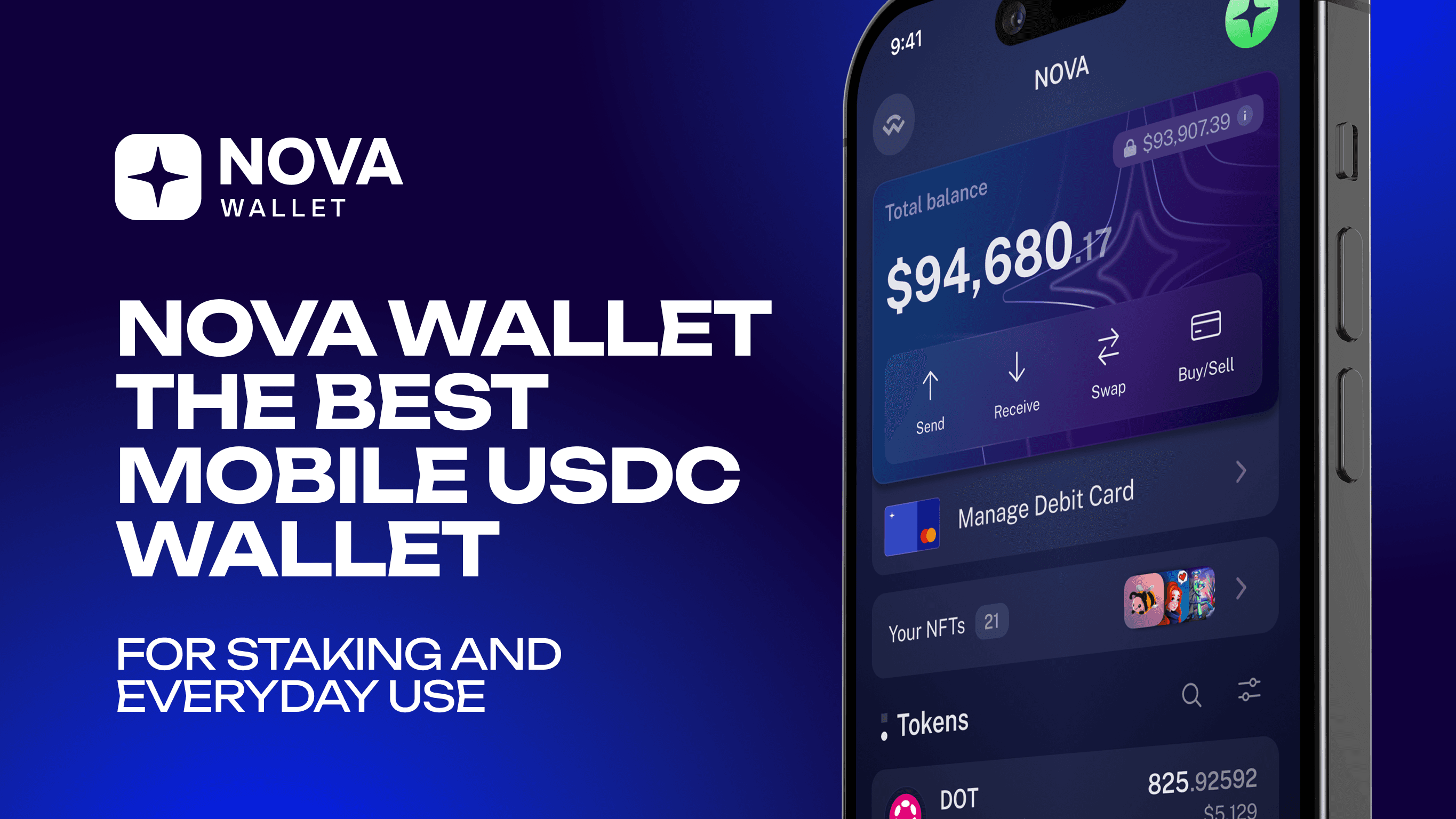
USDC has become one of the most trusted digital dollars in the crypto world. People use it for transfers, savings, payments, and increasingly for earning yield through DeFi. To manage USDC comfortably, you need a wallet that feels reliable and predictable — not something that forces you to rely on a centralized service or deal with complicated browser extensions. Nova Wallet combines ease of use, security, and full financial control. It works as a simple mobile usdc wallet app while still giving you access to advanced DeFi features whenever you need them.
What Is a USDC Wallet?
A usdc wallet is a mobile or desktop application that stores USDC on your behalf while giving you full control over your private keys. Unlike keeping coins on an exchange, where you depend on the company’s infrastructure and security practices, a non-custodial usdc wallet app gives ownership back to the user. You alone can approve transactions, back up your recovery phrase, and manage your digital dollars at any moment, even offline.
How a USDC Wallet Works
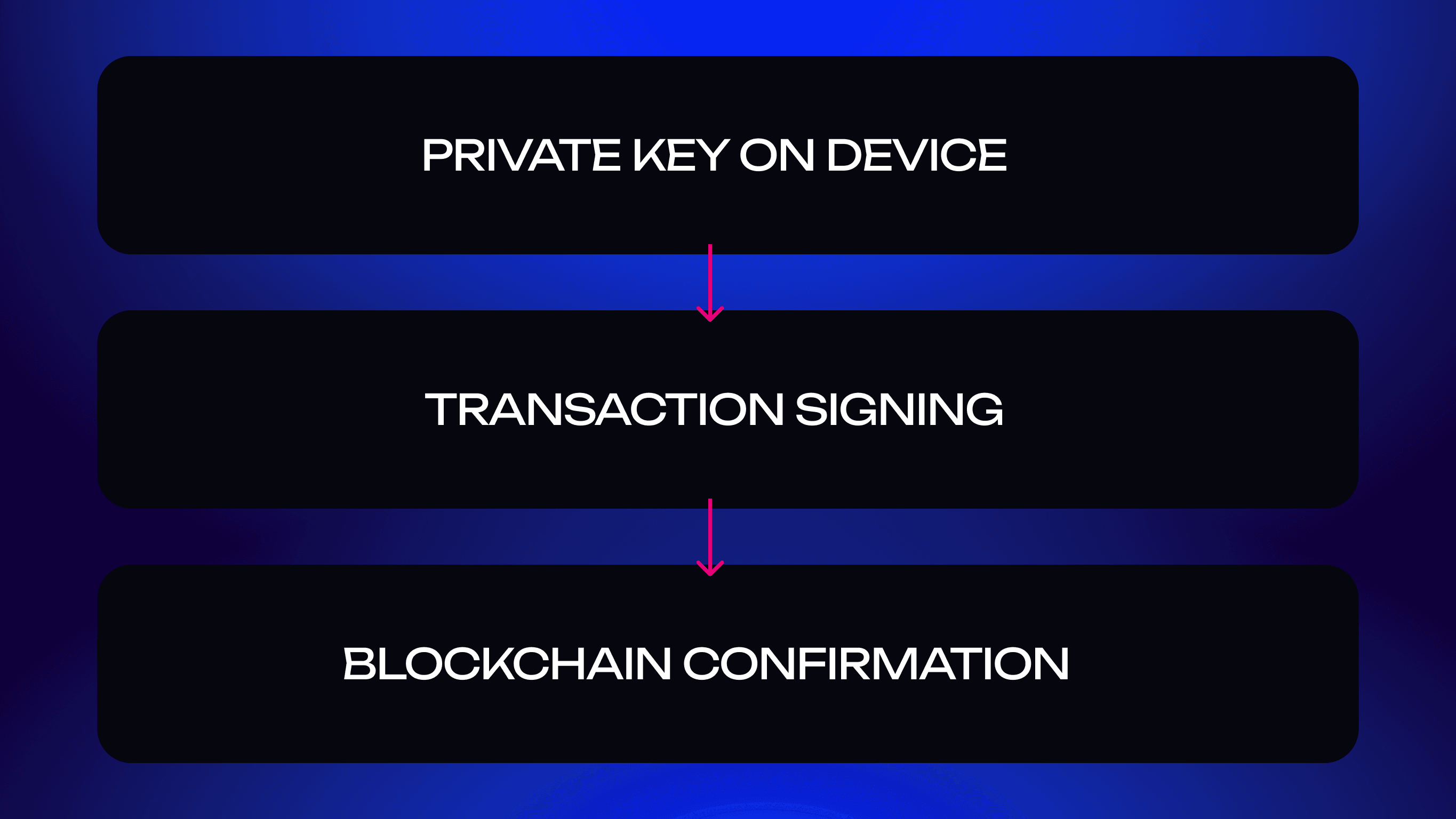
Every USDC transaction is signed with a private key that lives on your device. When you send funds, Nova Wallet uses this key to sign the transaction locally, keeping it encrypted and never exposing it to the internet. After signing, the transaction goes to the blockchain, where validators confirm it and include it in a block.
Why You Need a Secure Wallet for Stablecoins
Because stablecoins often hold higher balances, they are a constant target for scams and malware. A secure usdc wallet minimizes these risks: Nova Wallet stores keys locally, encrypts them with device-level protection, supports biometric confirmation, and uses transparent recovery methods. Stablecoins may be “stable,” but they still require a safe environment.
Mobile vs Web Wallets for USDC
Web wallets depend on browsers, cookies, and third-party scripts. Mobile wallets, on the other hand, rely on the phone’s native security architecture. With Nova Wallet, the usdc wallet app travels with you and works quickly on the go, without extra plugins or extensions. That’s why mobile-first solutions are becoming the default for everyday USDC operations.
USDC Staking Explained
USDC staking isn’t Proof-of-Stake validation — instead, users earn yield by lending their USDC or providing liquidity in DeFi protocols. Many people search for the best usdc staking options, and Nova Wallet simplifies that process by giving you direct access to verified DeFi platforms through the built-in dApp browser.
Can You Stake USDC?
You can’t stake USDC in the classic validator sense, since it’s not a PoS token. But you can supply it to DeFi pools or lending markets where borrowers and traders pay interest. These returns vary depending on demand and market conditions.
How USDC Staking Works
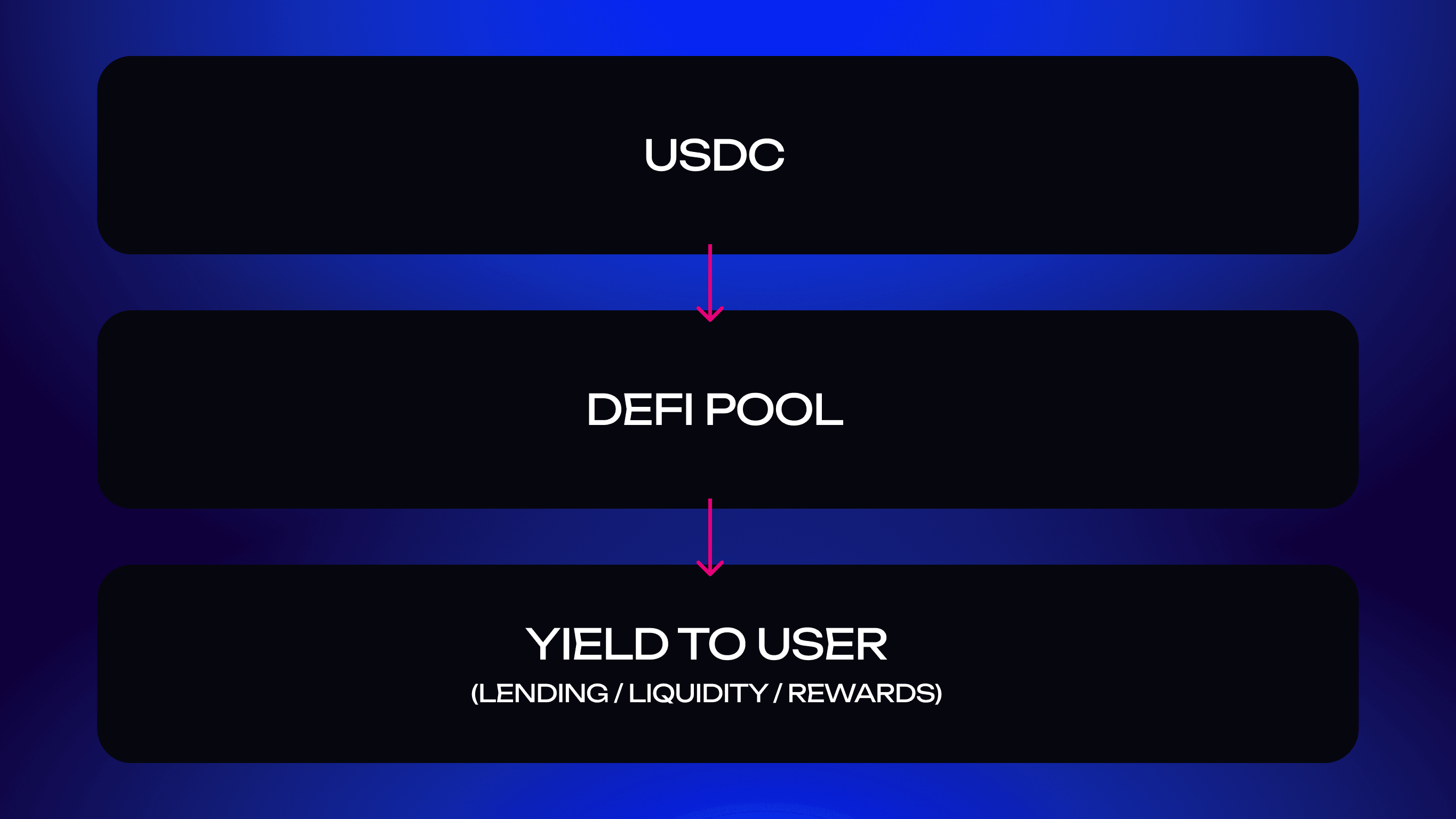
When you supply USDC to a DeFi protocol, your funds become part of a liquidity pool. The platform uses this liquidity for trading or lending activities, and you earn a share of the revenue generated from that activity. Nova Wallet lets users access these opportunities through built-in dApp connections.
Rewards, Risks, and Real Yields
Yields usually range from 2–8% annually. Nova Wallet does not display APYs inside the app; APYs and risk profiles are shown directly by the DeFi dApps you connect to.
Nova helps users interact with reputable platforms while maintaining full control over their private keys.
Why Nova Wallet Is the Best USDC Wallet
Non-Custodial and Secure
Nova Wallet ensures full ownership: private keys stay on your device, encrypted and protected by biometrics. Even if the phone is lost or replaced, your recovery phrase restores access immediately. This keeps your usdc wallet safe regardless of what happens externally.
Built-In USDC Management on Multiple Networks
Hydration
Polkadot Asset Hub
Amplitude
Ethereum (as an asset you can store and transfer; no EVM DeFi inside Nova)
Moonbeam (USDC and xcUSDC)
Moonriver
Pendulum (USDC, USDC.s, USDC.axl)
Balances are tracked per network, preventing confusion between different versions of USDC.
Easy Access to Staking and DeFi Opportunities
You can explore DeFi options through Nova Wallet’s built-in dApp browser. Protocols such as HydraDX allow you to provide liquidity or interact with lending markets directly through Polkadot’s ecosystem.
Light, Fast, and Intuitive Mobile App
The interface is designed for everyday use: smooth navigation, real-time balance updates, quick access to your most-used actions, and a clean layout that feels familiar even to new users.
How to Store and Stake USDC with Nova Wallet
Add USDC to Your Wallet
Download Nova Wallet, create or import an account, open the “Add Asset” menu, and select USDC. You’ll see your Polkadot-native USDC address — use its QR code or copy it manually. Transfers confirm within seconds once the parachain finalizes the transaction.
Choose a Staking or Yield Option
To access yield opportunities, open the built-in dApp browser and connect to supported Polkadot DeFi platforms (for example, HydraDX). There you can provide liquidity or deposit USDC into available pools. Each dApp displays its APY, risk model, and liquidity terms before you confirm a transaction.
Monitor Earnings and Withdraw Anytime
Earnings are displayed inside the DeFi dApp you interact with.
Supported Networks for USDC
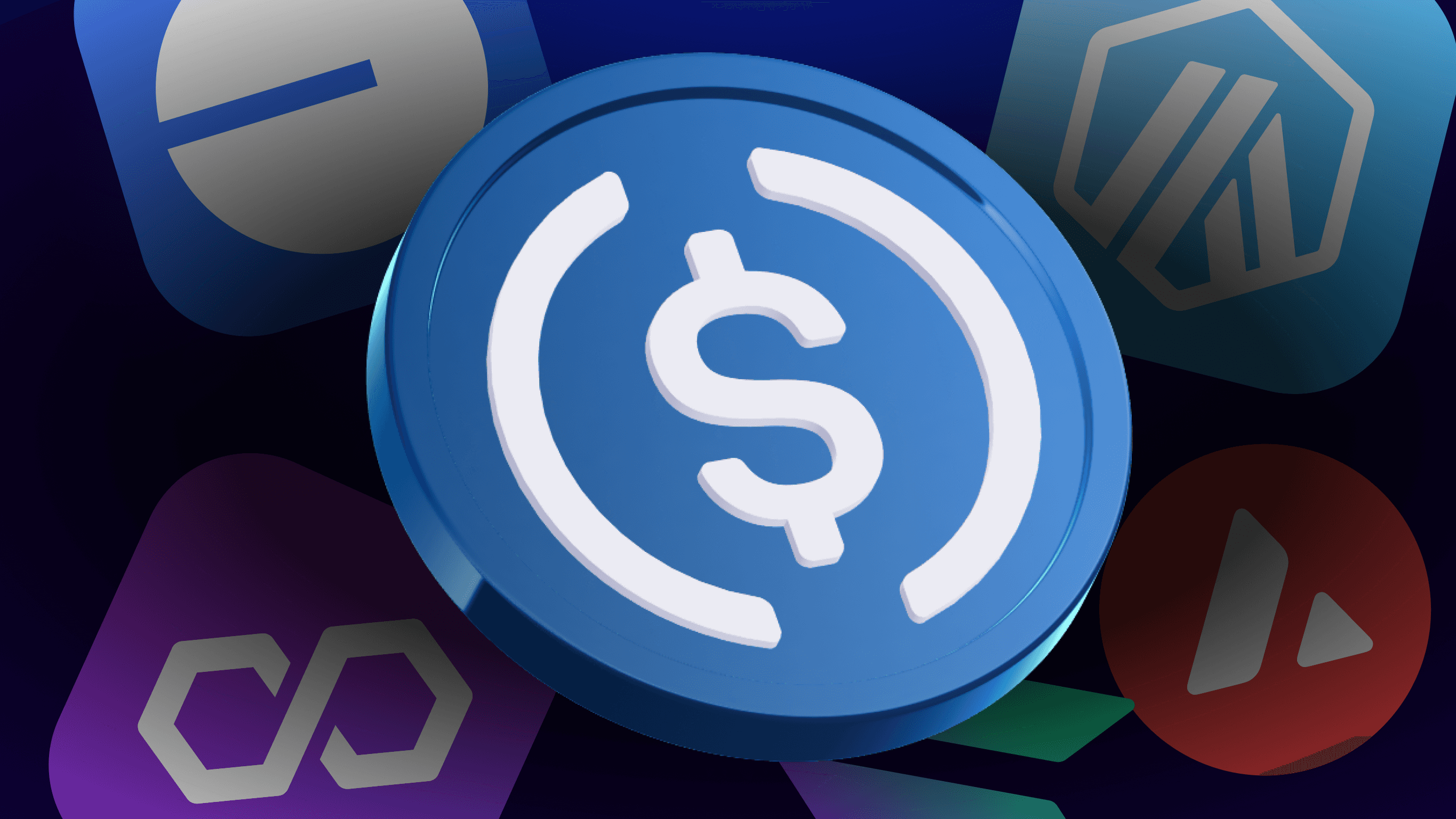
USDC circulates across many blockchains, including Ethereum, various Layer-2 networks, and alternative chains such as Solana, Polygon, Avalanche, and Stellar. These ecosystems represent the broader multi-chain presence of USDC.
Ethereum (ERC-20)
Nova Wallet supports holding and transferring USDC on Ethereum, but it does not provide EVM-native DeFi integrations.
Arbitrum, Optimism and other networks
USDC exists across many ecosystems, but Nova Wallet currently supports only the networks integrated into the app: Hydration, Ethereum, Moonbeam, Moonriver, Pendulum, and Polkadot Asset Hub. Other networks — including Arbitrum, Optimism, Polygon, and Base — are part of the broader USDC landscape but are not supported within Nova Wallet.
Swap and Move USDC Across Chains
Nova Wallet includes a built-in swap tool that enables cross-parachain swaps for Polkadot-native USDC via XCM. For example, you can swap USDC between Hydration and Polkadot Asset Hub directly inside the app using XCM-powered routes.
Nova Wallet vs Other USDC Wallets
UX & Speed
Nova Wallet minimizes clutter and offers fast, intuitive navigation. Actions load quickly, balances update instantly, and the layout feels simple even for newcomers.
Network Coverage
Unlike wallets limited to a single chain, Nova Wallet supports multiple networks inside the Polkadot ecosystem as well as Ethereum for basic USDC transfers.
Staking and Yield Options
With integrated access to Polkadot DeFi through the dApp browser, Nova Wallet allows users to explore yield strategies while staying fully non-custodial.
Open Source and Community Driven
Nova Wallet’s codebase is open, community-audited, and transparent. Users can check how encryption, storage, and interaction with blockchains work.
Download Nova Wallet on Android & iOS
Get started with Nova Wallet by installing it from the official stores. Create or import a wallet, add USDC from an exchange or another wallet, and explore available features at your own pace. The onboarding flow is simple and predictable, so even users who are new to decentralized finance can begin managing their digital dollars within minutes.
Try the best usdc wallet!
Stake USDC, Send and Receive, Explore DeFi — All in One App
Nova Wallet is designed to work as a complete mobile hub for USDC. You can hold your stablecoins securely, send and receive payments instantly, and access staking or yield opportunities through integrated dApps. Everything is organized around a straightforward interface that eliminates guesswork. Whether you want to move funds between chains, diversify your holdings, or simply keep USDC available for daily use, Nova Wallet combines all essential tools into one unified app.
FAQ
Is Nova Wallet safe for USDC?
Yes. Nova Wallet is fully non-custodial and uses device-level encryption to protect your private keys. Keys never leave your phone, and access to the app can be secured with biometrics. Even if your device is lost, your recovery phrase restores complete access to your USDC on any compatible device.
Does Nova Wallet support USDC on Ethereum and Layer 2?
Nova Wallet supports USDC on Ethereum, but does not integrate Layer-2 networks such as Arbitrum, Polygon, or Optimism. Supported networks include Hydration, Polkadot Asset Hub, Amplitude, Ethereum, Moonbeam, Moonriver, and Pendulum.
How can I earn rewards on USDC in Nova Wallet?
You can explore yield opportunities through the built-in dApp browser by connecting to Polkadot-native DeFi platforms such as HydraDX.
Can I send USDC from exchanges to Nova Wallet?
Yes. Simply copy your address from the wallet, select the correct network in the exchange withdrawal menu, and send USDC. Transfers arrive once they are confirmed on the blockchain. Nova Wallet will automatically display the incoming balance on the correct network.
Is there a fee for staking USDC in Nova Wallet?
Nova Wallet does not charge additional fees for interacting with DeFi. You only pay the network or protocol fees shown in the DeFi dApp before confirming a transaction. These costs are displayed clearly before you confirm any transaction.
USDC has become one of the most trusted digital dollars in the crypto world. People use it for transfers, savings, payments, and increasingly for earning yield through DeFi. To manage USDC comfortably, you need a wallet that feels reliable and predictable — not something that forces you to rely on a centralized service or deal with complicated browser extensions. Nova Wallet combines ease of use, security, and full financial control. It works as a simple mobile usdc wallet app while still giving you access to advanced DeFi features whenever you need them.
What Is a USDC Wallet?
A usdc wallet is a mobile or desktop application that stores USDC on your behalf while giving you full control over your private keys. Unlike keeping coins on an exchange, where you depend on the company’s infrastructure and security practices, a non-custodial usdc wallet app gives ownership back to the user. You alone can approve transactions, back up your recovery phrase, and manage your digital dollars at any moment, even offline.
How a USDC Wallet Works
Every USDC transaction is signed with a private key that lives on your device. When you send funds, Nova Wallet uses this key to sign the transaction locally, keeping it encrypted and never exposing it to the internet. After signing, the transaction goes to the blockchain, where validators confirm it and include it in a block.
Why You Need a Secure Wallet for Stablecoins
Because stablecoins often hold higher balances, they are a constant target for scams and malware. A secure usdc wallet minimizes these risks: Nova Wallet stores keys locally, encrypts them with device-level protection, supports biometric confirmation, and uses transparent recovery methods. Stablecoins may be “stable,” but they still require a safe environment.
Mobile vs Web Wallets for USDC
Web wallets depend on browsers, cookies, and third-party scripts. Mobile wallets, on the other hand, rely on the phone’s native security architecture. With Nova Wallet, the usdc wallet app travels with you and works quickly on the go, without extra plugins or extensions. That’s why mobile-first solutions are becoming the default for everyday USDC operations.
USDC Staking Explained
USDC staking isn’t Proof-of-Stake validation — instead, users earn yield by lending their USDC or providing liquidity in DeFi protocols. Many people search for the best usdc staking options, and Nova Wallet simplifies that process by giving you direct access to verified DeFi platforms through the built-in dApp browser.
Can You Stake USDC?
You can’t stake USDC in the classic validator sense, since it’s not a PoS token. But you can supply it to DeFi pools or lending markets where borrowers and traders pay interest. These returns vary depending on demand and market conditions.
How USDC Staking Works
When you supply USDC to a DeFi protocol, your funds become part of a liquidity pool. The platform uses this liquidity for trading or lending activities, and you earn a share of the revenue generated from that activity. Nova Wallet lets users access these opportunities through built-in dApp connections.
Rewards, Risks, and Real Yields
Yields usually range from 2–8% annually. Nova Wallet does not display APYs inside the app; APYs and risk profiles are shown directly by the DeFi dApps you connect to.
Nova helps users interact with reputable platforms while maintaining full control over their private keys.
Why Nova Wallet Is the Best USDC Wallet
Non-Custodial and Secure
Nova Wallet ensures full ownership: private keys stay on your device, encrypted and protected by biometrics. Even if the phone is lost or replaced, your recovery phrase restores access immediately. This keeps your usdc wallet safe regardless of what happens externally.
Built-In USDC Management on Multiple Networks
Hydration
Polkadot Asset Hub
Amplitude
Ethereum (as an asset you can store and transfer; no EVM DeFi inside Nova)
Moonbeam (USDC and xcUSDC)
Moonriver
Pendulum (USDC, USDC.s, USDC.axl)
Balances are tracked per network, preventing confusion between different versions of USDC.
Easy Access to Staking and DeFi Opportunities
You can explore DeFi options through Nova Wallet’s built-in dApp browser. Protocols such as HydraDX allow you to provide liquidity or interact with lending markets directly through Polkadot’s ecosystem.
Light, Fast, and Intuitive Mobile App
The interface is designed for everyday use: smooth navigation, real-time balance updates, quick access to your most-used actions, and a clean layout that feels familiar even to new users.
How to Store and Stake USDC with Nova Wallet
Add USDC to Your Wallet
Download Nova Wallet, create or import an account, open the “Add Asset” menu, and select USDC. You’ll see your Polkadot-native USDC address — use its QR code or copy it manually. Transfers confirm within seconds once the parachain finalizes the transaction.
Choose a Staking or Yield Option
To access yield opportunities, open the built-in dApp browser and connect to supported Polkadot DeFi platforms (for example, HydraDX). There you can provide liquidity or deposit USDC into available pools. Each dApp displays its APY, risk model, and liquidity terms before you confirm a transaction.
Monitor Earnings and Withdraw Anytime
Earnings are displayed inside the DeFi dApp you interact with.
Supported Networks for USDC
USDC circulates across many blockchains, including Ethereum, various Layer-2 networks, and alternative chains such as Solana, Polygon, Avalanche, and Stellar. These ecosystems represent the broader multi-chain presence of USDC.
Ethereum (ERC-20)
Nova Wallet supports holding and transferring USDC on Ethereum, but it does not provide EVM-native DeFi integrations.
Arbitrum, Optimism and other networks
USDC exists across many ecosystems, but Nova Wallet currently supports only the networks integrated into the app: Hydration, Ethereum, Moonbeam, Moonriver, Pendulum, and Polkadot Asset Hub. Other networks — including Arbitrum, Optimism, Polygon, and Base — are part of the broader USDC landscape but are not supported within Nova Wallet.
Swap and Move USDC Across Chains
Nova Wallet includes a built-in swap tool that enables cross-parachain swaps for Polkadot-native USDC via XCM. For example, you can swap USDC between Hydration and Polkadot Asset Hub directly inside the app using XCM-powered routes.
Nova Wallet vs Other USDC Wallets
UX & Speed
Nova Wallet minimizes clutter and offers fast, intuitive navigation. Actions load quickly, balances update instantly, and the layout feels simple even for newcomers.
Network Coverage
Unlike wallets limited to a single chain, Nova Wallet supports multiple networks inside the Polkadot ecosystem as well as Ethereum for basic USDC transfers.
Staking and Yield Options
With integrated access to Polkadot DeFi through the dApp browser, Nova Wallet allows users to explore yield strategies while staying fully non-custodial.
Open Source and Community Driven
Nova Wallet’s codebase is open, community-audited, and transparent. Users can check how encryption, storage, and interaction with blockchains work.
Download Nova Wallet on Android & iOS
Get started with Nova Wallet by installing it from the official stores. Create or import a wallet, add USDC from an exchange or another wallet, and explore available features at your own pace. The onboarding flow is simple and predictable, so even users who are new to decentralized finance can begin managing their digital dollars within minutes.
Try the best usdc wallet!
Stake USDC, Send and Receive, Explore DeFi — All in One App
Nova Wallet is designed to work as a complete mobile hub for USDC. You can hold your stablecoins securely, send and receive payments instantly, and access staking or yield opportunities through integrated dApps. Everything is organized around a straightforward interface that eliminates guesswork. Whether you want to move funds between chains, diversify your holdings, or simply keep USDC available for daily use, Nova Wallet combines all essential tools into one unified app.
FAQ
Is Nova Wallet safe for USDC?
Yes. Nova Wallet is fully non-custodial and uses device-level encryption to protect your private keys. Keys never leave your phone, and access to the app can be secured with biometrics. Even if your device is lost, your recovery phrase restores complete access to your USDC on any compatible device.
Does Nova Wallet support USDC on Ethereum and Layer 2?
Nova Wallet supports USDC on Ethereum, but does not integrate Layer-2 networks such as Arbitrum, Polygon, or Optimism. Supported networks include Hydration, Polkadot Asset Hub, Amplitude, Ethereum, Moonbeam, Moonriver, and Pendulum.
How can I earn rewards on USDC in Nova Wallet?
You can explore yield opportunities through the built-in dApp browser by connecting to Polkadot-native DeFi platforms such as HydraDX.
Can I send USDC from exchanges to Nova Wallet?
Yes. Simply copy your address from the wallet, select the correct network in the exchange withdrawal menu, and send USDC. Transfers arrive once they are confirmed on the blockchain. Nova Wallet will automatically display the incoming balance on the correct network.
Is there a fee for staking USDC in Nova Wallet?
Nova Wallet does not charge additional fees for interacting with DeFi. You only pay the network or protocol fees shown in the DeFi dApp before confirming a transaction. These costs are displayed clearly before you confirm any transaction.
Latest Articles
View all
Nova Wallet — The Best USDT Wallet for Staking, Storage, and Daily Use
A secure Polkadot-native USDT wallet for storing, sending, and earning with Tether — fully non-custodial and mobile-first.
Staking
How to Import Your Trust Wallet Account to Nova Wallet
Import your Trust Wallet DOT to Nova Wallet in minutes and unlock staking, governance, multisig, and full Polkadot ecosystem support.
Polkadot ecosystem

Nova Wallet x Mercuryo: The First Polkadot Debit Card is Here!
Spend DOT anywhere Mastercard is accepted with the first Polkadot-native debit card by Nova Wallet x Mercuryo. Real-world crypto payments, simplified.
Nova Wallet — The Best USDT Wallet for Staking, Storage, and Daily Use
A secure Polkadot-native USDT wallet for storing, sending, and earning with Tether — fully non-custodial and mobile-first.
Staking
How to Import Your Trust Wallet Account to Nova Wallet
Import your Trust Wallet DOT to Nova Wallet in minutes and unlock staking, governance, multisig, and full Polkadot ecosystem support.
Polkadot ecosystem

Company
@ 2025 Novasama Technologies
Company
@ 2025 Novasama Technologies
Company
@ 2025 Novasama Technologies