All topics
Dec 3, 2025
Dec 3, 2025
Nova Wallet — The Best USDT Wallet for Staking, Storage, and Daily Use
Nova Wallet — The Best USDT Wallet for Staking, Storage, and Daily Use
Staking
USDT, better known as Tether, has become far more than a trader’s tool. Today it’s used for salaries, cross-border payments, and daily on-chain activity. To move it safely, you need a wallet that’s intuitive yet still gives you complete control. Nova Wallet does exactly that — a mobile-first, non-custodial solution where you hold your keys, manage your assets, and access staking or DeFi features without relying on an exchange.
Below, we’ll break down what makes a tether wallet app secure, how USDT works across different networks, and why Nova Wallet remains one of the best usdt wallet options for anyone using Polkadot-native USDT.
What Is a USDT Wallet?
A USDT wallet — also called a tether wallet or usdt crypto wallet — is an app that stores, sends, and receives Tether, a stablecoin pegged to the U.S. dollar. Unlike bank apps, crypto wallets let you control your private keys, which are the only proof that funds belong to you.
Wallets come in many forms: hardware, desktop, browser, mobile. For everyday use, a tether wallet app is the simplest: fast setup, secure backups, and easy access from your phone.
How Tether Wallets Work
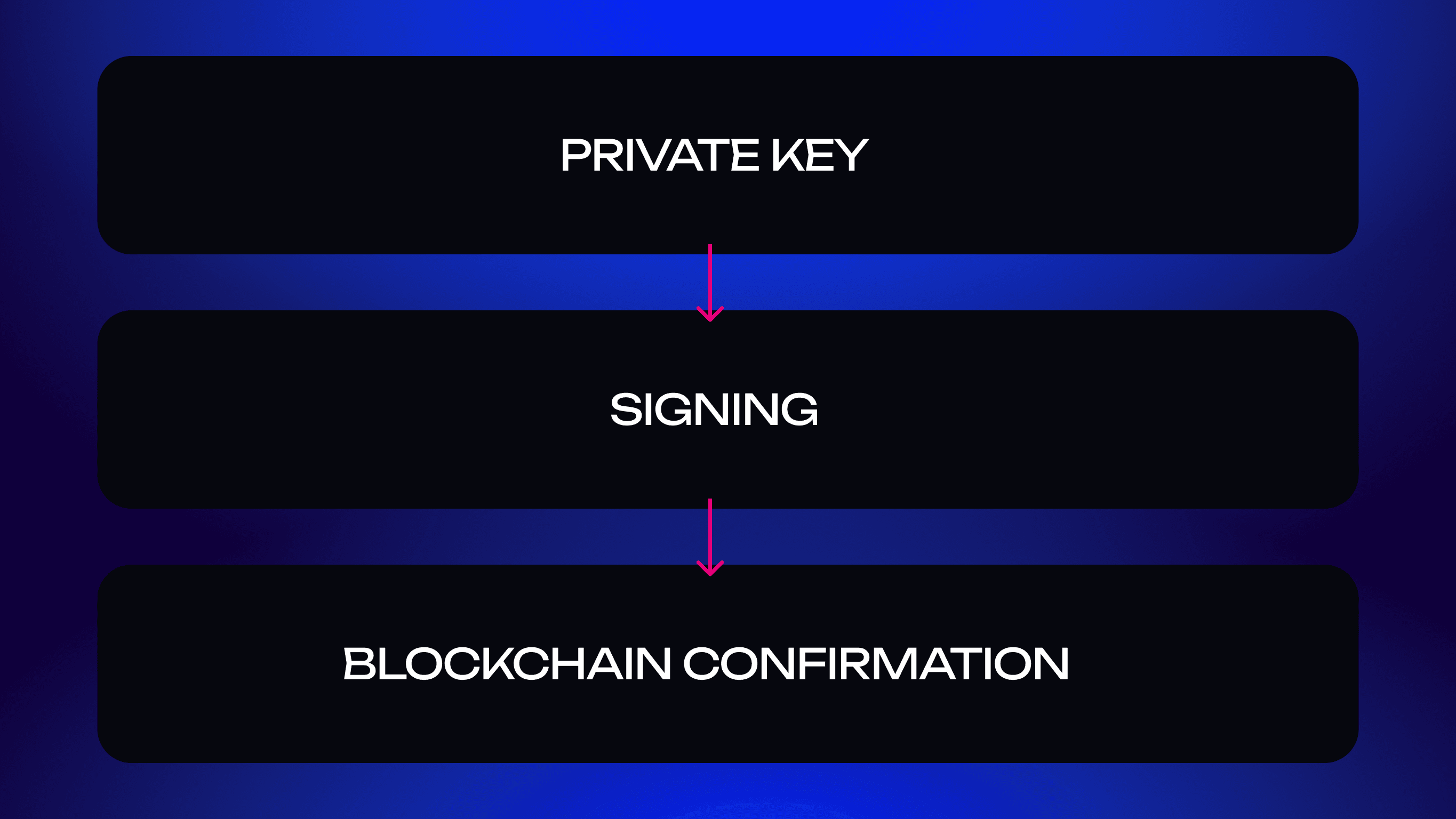
Each USDT transaction is authorized with a private key. When you send funds, the wallet signs the transaction and broadcasts it to the network.
Non-custodial wallets like Nova keep keys encrypted locally, so no third party can freeze, access, or move your funds.
TL;DR: the blockchain stores your coins; your wallet protects the keys.
Why You Need a Secure Wallet for USDT
Because USDT represents real monetary value, weak security can cause real losses. Exchange breaches, phishing, SIM swaps — these threats still exist.
A secure wallet adds multiple layers of protection: biometrics, encrypted storage, and a recovery phrase. Nova Wallet includes all of these by default.
USDT Wallet App vs Exchange Wallets
Exchange wallets feel convenient but they’re custodial — you don’t own your keys. If the platform freezes withdrawals or is compromised, your assets are at risk.
A non-custodial tether wallet app like Nova gives you independence: your keys, your access, your rules.
Supported Networks: USDT as a Multichain Stablecoin
USDT exists on dozens of blockchains. Even if you use only one version, understanding the differences matters — transfers between networks aren’t interchangeable.
Below is a quick overview of the major USDT networks you’ll encounter across the industry.
(Important: this section is informational — not all networks listed are supported inside Nova.)
USDT on Ethereum (ERC-20)
ERC-20 is the original and most widely integrated version of USDT. It’s the default for DeFi protocols and institutional transfers. Fees vary with network congestion.
USDT on TRON (TRC-20)
TRC-20 became extremely popular for low-fee transfers. It’s widely used for cross-border payments and exchange withdrawals because transactions are cheap and fast.
USDT on BNB Smart Chain, Arbitrum, and More
USDT also exists on BNB Smart Chain, Arbitrum, Polygon, and other EVM networks. They offer fast confirmations and lower fees, but each chain uses its own addressing format.
Nova Wallet — One App for All USDT Networks
Nova takes a different approach from traditional tether wallet apps. Instead of trying to support every EVM chain, Nova focuses on Polkadot-native USDT, offering unmatched reliability inside this ecosystem.
Inside Nova you can:
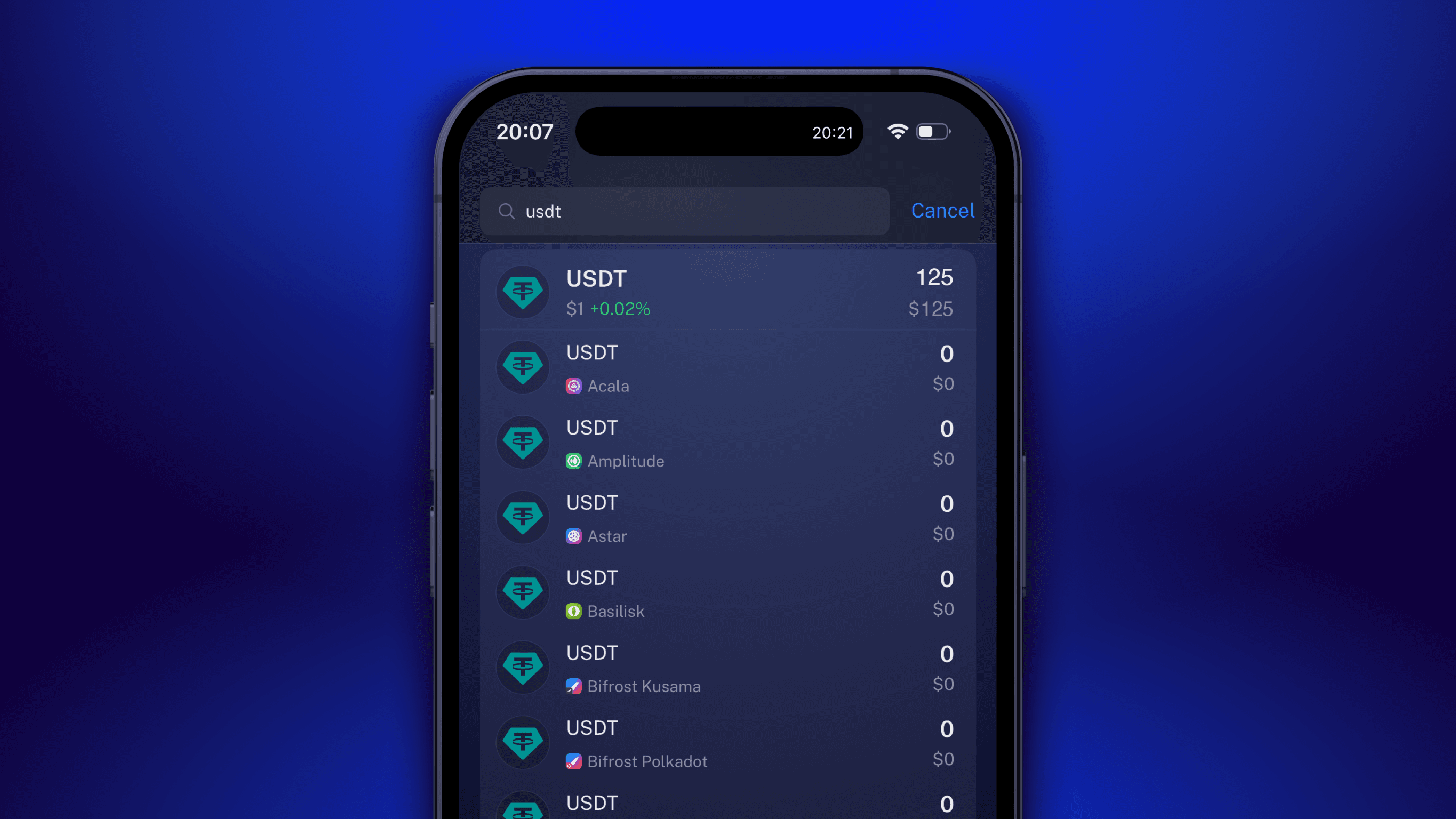
store and manage USDT issued on Polkadot parachains (e.g., AssetHub),
see correct balances and asset IDs,
avoid network mismatches like sending TRC-20 to ERC-20 addresses,
enjoy predictable, low-cost transfers across parachains.
This Polkadot-first design makes Nova the best usdt wallet for users who rely on USDT within the Polkadot ecosystem.
Can You Stake USDT?
Yes — but stablecoin “staking” works differently from PoS staking. It involves lending or providing liquidity to earn a yield. Nova Wallet makes these options accessible in a few taps.
Yield Opportunities with USDT
Platforms borrow USDT for trading, liquidity, and market-making. Yields tend to be stable and moderate, making USDT an attractive low-volatility earning tool.
How USDT Staking Works
You connect your wallet, deposit USDT into a protocol, and earn rewards over time. Nova integrates trusted DeFi options, displaying APRs, lockup periods, and risks before you commit.
Risks and Rewards of Stablecoin Staking
Even stablecoins involve risk — smart-contract bugs, liquidity issues, rate changes. Nova minimizes this by surfacing reliable protocols and keeping your keys under your control.
Nova Wallet Access to DeFi and Yield Platforms
With built-in dApp connections, you can lend, stake, or deploy USDT directly from the app. No switching browsers or juggling extensions.
Why Nova Wallet Is the Best USDT Wallet
Nova isn’t just “another tether wallet.” It delivers the rare mix of simplicity, security, and power — all optimized for Polkadot-native USDT.
Mobile-First, Non-Custodial, and Secure
Keys stored locally. Biometric protection. No logins or central accounts. You stay in full control.
Manage and Transfer USDT Across Networks
Nova ensures you always see the correct USDT version for each Polkadot network — no misclicks, no wrong-address mistakes, no confusion between TRC-20/ERC-20-style formats.
Access to DeFi, DApps, and Staking
Nova connects to the Polkadot DeFi ecosystem, letting you explore yield strategies without leaving the app.
Intuitive UX and Trusted by Thousands
Minimal design, clear flows, fast performance. Nova has earned the trust of thousands of Polkadot users worldwide.
How to Use Nova Wallet for USDT
Add USDT to Your Wallet
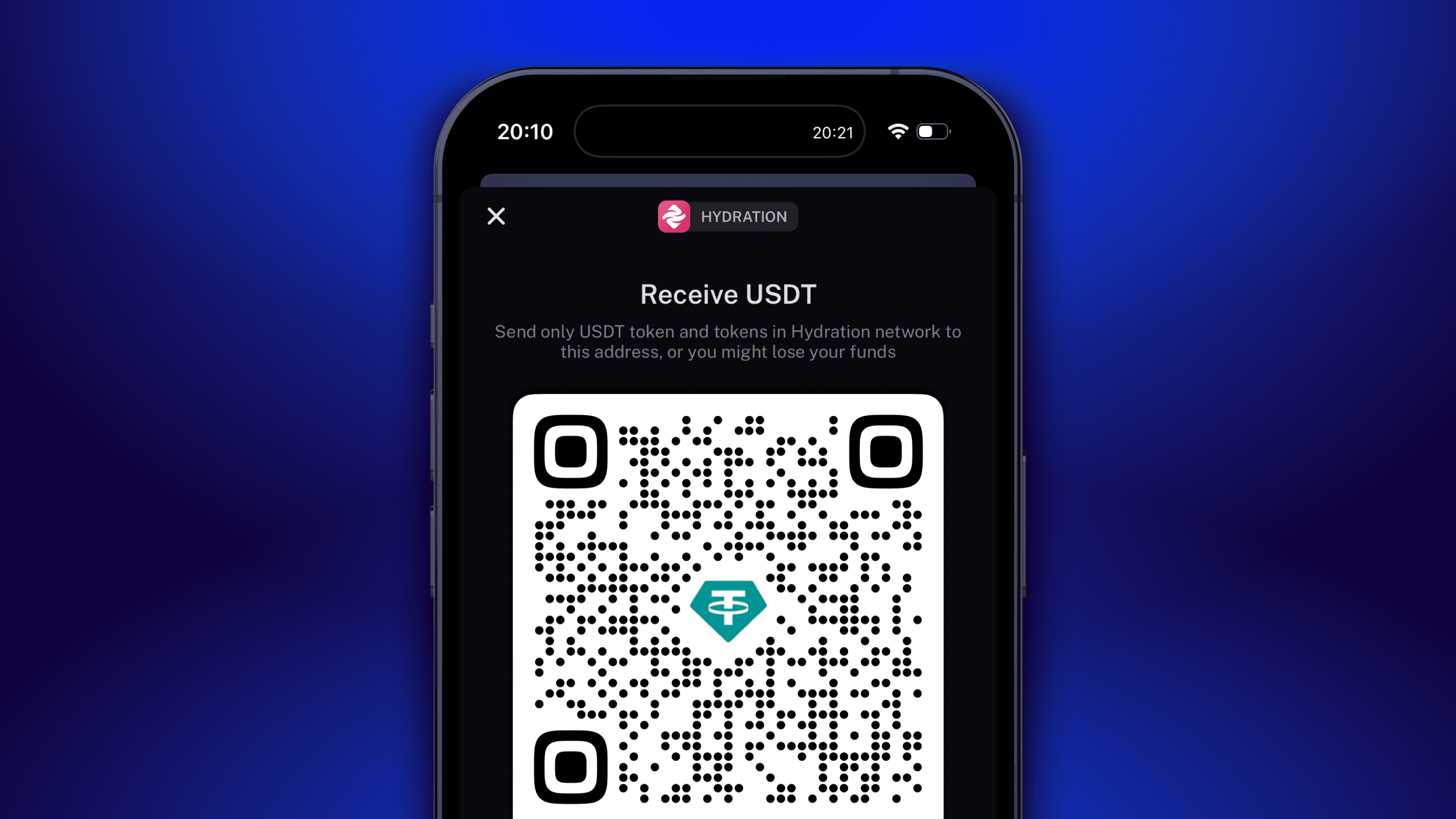
Download the app, set up your account, choose USDT from the list, and copy your Polkadot-native deposit address. Funds appear once the parachain finalizes the transaction.
Switch Between Networks
If you need to send USDT from an exchange on another network, select the correct network on the exchange side.
Nova will display only the Polkadot-native USDT formats it supports, preventing mistakes.
This avoids sending USDT to incompatible addresses.
Send, Receive, and Stake USDT Easily
Scan or paste the recipient’s address, review the network fee, and confirm the transfer — Polkadot-native USDT arrives fast and without the usual cross-chain confusion.
For yield or liquidity opportunities, you can access supported DeFi platforms directly through Nova’s built-in dApp browser.
Nova Wallet vs Other Tether Wallets
Simpler UX and Better Network Safety
Other wallets require manual network selection or RPC setup. Nova removes that complexity by focusing on native Polkadot assets.
Multi-Asset and Multi-Network Functionality
Nova supports USDT, DOT, BTC, and other Polkadot assets in one interface — a complete ecosystem wallet, not just a USDT viewer.
Private, Non-Custodial, and Open Source
Open-source code, client-side security, and zero data collection. Your assets stay yours.
Ready to Start With the Best USDT Wallet?
Stablecoins deserve stable tools. Nova delivers security, clarity, and full sovereignty.
Download Nova Wallet for iOS and Android
Take control of your digital dollars today — install Nova from official app stores.
Explore DeFi and USDT Staking From Your Phone
Learn more on the best usdt wallet page and discover the easiest way to earn and transact with Polkadot-native USDT.
FAQ
Is Nova Wallet a secure USDT wallet?
Yes. Nova encrypts private keys locally, supports biometric protection, and is fully non-custodial.
Can I use USDT TRC-20 in Nova Wallet?
No — Nova supports Polkadot-native USDT.
If your exchange withdraws via TRC-20, choose an ERC-20 or Polkadot-compatible option, or bridge externally.
Is there a fee for sending USDT?
Yes, but Polkadot-native fees are typically low and predictable compared to EVM gas prices.
Does Nova Wallet support USDT staking?
Yes — through integrated DeFi options inside the app.
Can I send USDT from Binance to Nova Wallet?
Yes. Just select the Polkadot-native USDT network when withdrawing. Using TRC-20 or ERC-20 will not work.
USDT, better known as Tether, has become far more than a trader’s tool. Today it’s used for salaries, cross-border payments, and daily on-chain activity. To move it safely, you need a wallet that’s intuitive yet still gives you complete control. Nova Wallet does exactly that — a mobile-first, non-custodial solution where you hold your keys, manage your assets, and access staking or DeFi features without relying on an exchange.
Below, we’ll break down what makes a tether wallet app secure, how USDT works across different networks, and why Nova Wallet remains one of the best usdt wallet options for anyone using Polkadot-native USDT.
What Is a USDT Wallet?
A USDT wallet — also called a tether wallet or usdt crypto wallet — is an app that stores, sends, and receives Tether, a stablecoin pegged to the U.S. dollar. Unlike bank apps, crypto wallets let you control your private keys, which are the only proof that funds belong to you.
Wallets come in many forms: hardware, desktop, browser, mobile. For everyday use, a tether wallet app is the simplest: fast setup, secure backups, and easy access from your phone.
How Tether Wallets Work
Each USDT transaction is authorized with a private key. When you send funds, the wallet signs the transaction and broadcasts it to the network.
Non-custodial wallets like Nova keep keys encrypted locally, so no third party can freeze, access, or move your funds.
TL;DR: the blockchain stores your coins; your wallet protects the keys.
Why You Need a Secure Wallet for USDT
Because USDT represents real monetary value, weak security can cause real losses. Exchange breaches, phishing, SIM swaps — these threats still exist.
A secure wallet adds multiple layers of protection: biometrics, encrypted storage, and a recovery phrase. Nova Wallet includes all of these by default.
USDT Wallet App vs Exchange Wallets
Exchange wallets feel convenient but they’re custodial — you don’t own your keys. If the platform freezes withdrawals or is compromised, your assets are at risk.
A non-custodial tether wallet app like Nova gives you independence: your keys, your access, your rules.
Supported Networks: USDT as a Multichain Stablecoin
USDT exists on dozens of blockchains. Even if you use only one version, understanding the differences matters — transfers between networks aren’t interchangeable.
Below is a quick overview of the major USDT networks you’ll encounter across the industry.
(Important: this section is informational — not all networks listed are supported inside Nova.)
USDT on Ethereum (ERC-20)
ERC-20 is the original and most widely integrated version of USDT. It’s the default for DeFi protocols and institutional transfers. Fees vary with network congestion.
USDT on TRON (TRC-20)
TRC-20 became extremely popular for low-fee transfers. It’s widely used for cross-border payments and exchange withdrawals because transactions are cheap and fast.
USDT on BNB Smart Chain, Arbitrum, and More
USDT also exists on BNB Smart Chain, Arbitrum, Polygon, and other EVM networks. They offer fast confirmations and lower fees, but each chain uses its own addressing format.
Nova Wallet — One App for All USDT Networks
Nova takes a different approach from traditional tether wallet apps. Instead of trying to support every EVM chain, Nova focuses on Polkadot-native USDT, offering unmatched reliability inside this ecosystem.
Inside Nova you can:
store and manage USDT issued on Polkadot parachains (e.g., AssetHub),
see correct balances and asset IDs,
avoid network mismatches like sending TRC-20 to ERC-20 addresses,
enjoy predictable, low-cost transfers across parachains.
This Polkadot-first design makes Nova the best usdt wallet for users who rely on USDT within the Polkadot ecosystem.
Can You Stake USDT?
Yes — but stablecoin “staking” works differently from PoS staking. It involves lending or providing liquidity to earn a yield. Nova Wallet makes these options accessible in a few taps.
Yield Opportunities with USDT
Platforms borrow USDT for trading, liquidity, and market-making. Yields tend to be stable and moderate, making USDT an attractive low-volatility earning tool.
How USDT Staking Works
You connect your wallet, deposit USDT into a protocol, and earn rewards over time. Nova integrates trusted DeFi options, displaying APRs, lockup periods, and risks before you commit.
Risks and Rewards of Stablecoin Staking
Even stablecoins involve risk — smart-contract bugs, liquidity issues, rate changes. Nova minimizes this by surfacing reliable protocols and keeping your keys under your control.
Nova Wallet Access to DeFi and Yield Platforms
With built-in dApp connections, you can lend, stake, or deploy USDT directly from the app. No switching browsers or juggling extensions.
Why Nova Wallet Is the Best USDT Wallet
Nova isn’t just “another tether wallet.” It delivers the rare mix of simplicity, security, and power — all optimized for Polkadot-native USDT.
Mobile-First, Non-Custodial, and Secure
Keys stored locally. Biometric protection. No logins or central accounts. You stay in full control.
Manage and Transfer USDT Across Networks
Nova ensures you always see the correct USDT version for each Polkadot network — no misclicks, no wrong-address mistakes, no confusion between TRC-20/ERC-20-style formats.
Access to DeFi, DApps, and Staking
Nova connects to the Polkadot DeFi ecosystem, letting you explore yield strategies without leaving the app.
Intuitive UX and Trusted by Thousands
Minimal design, clear flows, fast performance. Nova has earned the trust of thousands of Polkadot users worldwide.
How to Use Nova Wallet for USDT
Add USDT to Your Wallet
Download the app, set up your account, choose USDT from the list, and copy your Polkadot-native deposit address. Funds appear once the parachain finalizes the transaction.
Switch Between Networks
If you need to send USDT from an exchange on another network, select the correct network on the exchange side.
Nova will display only the Polkadot-native USDT formats it supports, preventing mistakes.
This avoids sending USDT to incompatible addresses.
Send, Receive, and Stake USDT Easily
Scan or paste the recipient’s address, review the network fee, and confirm the transfer — Polkadot-native USDT arrives fast and without the usual cross-chain confusion.
For yield or liquidity opportunities, you can access supported DeFi platforms directly through Nova’s built-in dApp browser.
Nova Wallet vs Other Tether Wallets
Simpler UX and Better Network Safety
Other wallets require manual network selection or RPC setup. Nova removes that complexity by focusing on native Polkadot assets.
Multi-Asset and Multi-Network Functionality
Nova supports USDT, DOT, BTC, and other Polkadot assets in one interface — a complete ecosystem wallet, not just a USDT viewer.
Private, Non-Custodial, and Open Source
Open-source code, client-side security, and zero data collection. Your assets stay yours.
Ready to Start With the Best USDT Wallet?
Stablecoins deserve stable tools. Nova delivers security, clarity, and full sovereignty.
Download Nova Wallet for iOS and Android
Take control of your digital dollars today — install Nova from official app stores.
Explore DeFi and USDT Staking From Your Phone
Learn more on the best usdt wallet page and discover the easiest way to earn and transact with Polkadot-native USDT.
FAQ
Is Nova Wallet a secure USDT wallet?
Yes. Nova encrypts private keys locally, supports biometric protection, and is fully non-custodial.
Can I use USDT TRC-20 in Nova Wallet?
No — Nova supports Polkadot-native USDT.
If your exchange withdraws via TRC-20, choose an ERC-20 or Polkadot-compatible option, or bridge externally.
Is there a fee for sending USDT?
Yes, but Polkadot-native fees are typically low and predictable compared to EVM gas prices.
Does Nova Wallet support USDT staking?
Yes — through integrated DeFi options inside the app.
Can I send USDT from Binance to Nova Wallet?
Yes. Just select the Polkadot-native USDT network when withdrawing. Using TRC-20 or ERC-20 will not work.
Latest Articles
View all
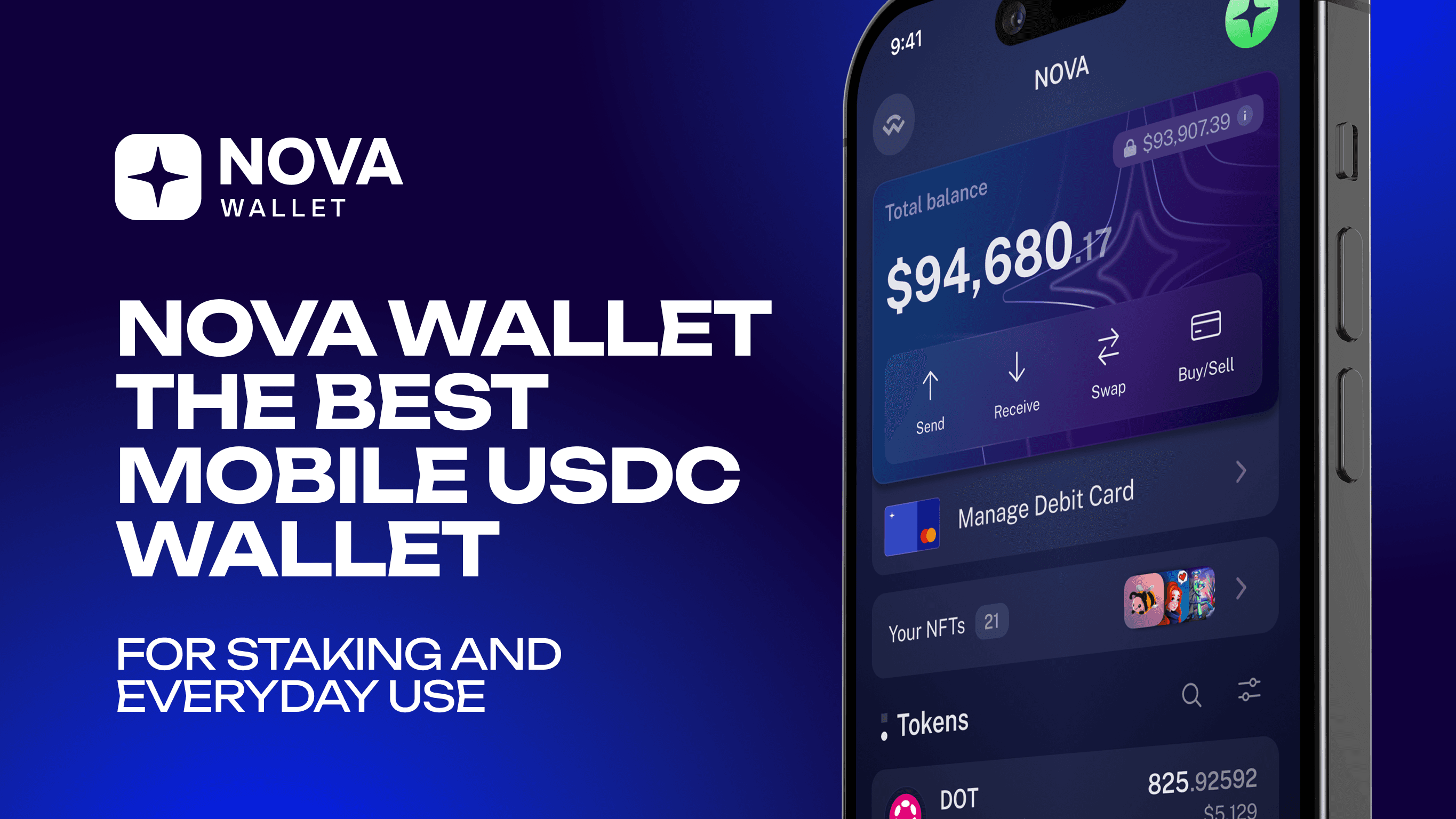
Nova Wallet — The Best Mobile USDC Wallet for Staking and Everyday Use
Secure, non-custodial USDC wallet for Polkadot. Store, send, and access DeFi through the built-in dApp browser.
Staking
How to Import Your Trust Wallet Account to Nova Wallet
Import your Trust Wallet DOT to Nova Wallet in minutes and unlock staking, governance, multisig, and full Polkadot ecosystem support.
Polkadot ecosystem

Nova Wallet x Mercuryo: The First Polkadot Debit Card is Here!
Spend DOT anywhere Mastercard is accepted with the first Polkadot-native debit card by Nova Wallet x Mercuryo. Real-world crypto payments, simplified.
Nova Wallet — The Best Mobile USDC Wallet for Staking and Everyday Use
Secure, non-custodial USDC wallet for Polkadot. Store, send, and access DeFi through the built-in dApp browser.
Staking
How to Import Your Trust Wallet Account to Nova Wallet
Import your Trust Wallet DOT to Nova Wallet in minutes and unlock staking, governance, multisig, and full Polkadot ecosystem support.
Polkadot ecosystem

Company
@ 2025 Novasama Technologies
Company
@ 2025 Novasama Technologies
Company
@ 2025 Novasama Technologies